Register a free account today to become a ezLinux member! Once signed in, you'll be able to participate on this site by adding your own topics and posts, as well as connect with other members through your own private inbox!
The above commands will blank your monitors, but they will not turn them off completely. Many users wish to listen to music on their computers/laptops and conserve power. Or just get up for a coffee and not have someone mess with your workstation.
To turn off the monitors completely, create the following script in your editor of choice.
Code:
!/usr/bin/env bash
xset s blank ; sleep 1 ; xset s activate
cinnamon-screensaver-command -l
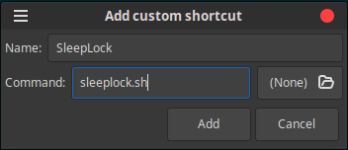
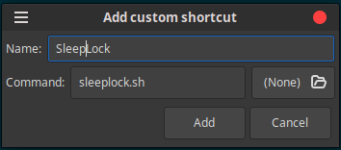
Save, name sleeplock.sh or whatever you choose.
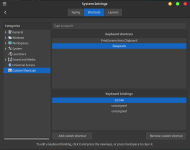
You will need to give the script permission to run as an executable and bind it to a key. I use Cntrl + M, you can use whichever you wish.
Notes:
Modify cinnamon-screensaver-command -l to gnome-screensaver-command -l for gnome desktop.
mate-screensaver-command -l for MATE desktop, xfce-screensaver-command -l for XFCE desktop.